
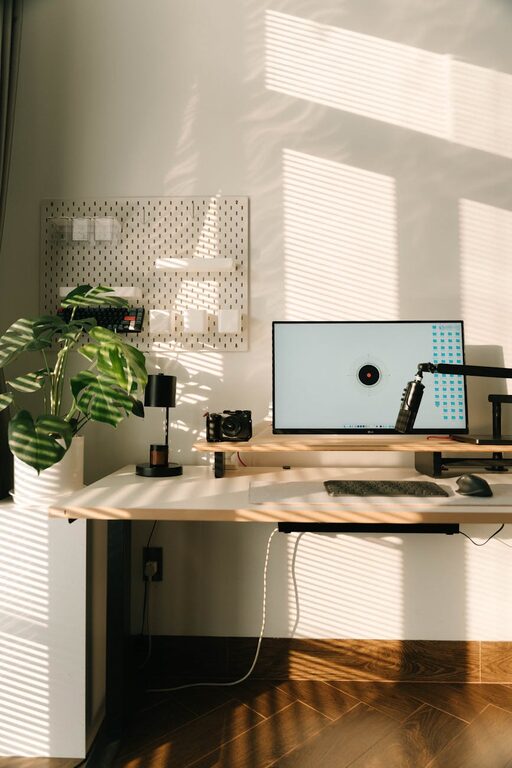
Creating a productive home office environment is essential for anyone working remotely or running a business from home. A well-designed workspace can help you stay focused, motivated, and comfortable throughout the day. In this post, we’ll share practical tips to set up a home office that enhances your productivity while keeping your wellbeing in mind.
Choose the Right Location
Selecting the right spot in your home is the first step to creating a productive workspace.
– Quiet and private: Ideally, pick a room or corner with minimal distractions and noise.
– Natural light: Position your desk near a window to benefit from natural daylight, which can improve mood and energy.
– Space for essentials: Ensure you have enough room for your computer, paperwork, and any equipment you need regularly.
Invest in Ergonomic Furniture
Comfort is key to maintaining focus without strain or discomfort.
– Ergonomic chair: Choose a chair that supports your back and encourages good posture.
– Adjustable desk: A desk with adjustable height options allows you to alternate between sitting and standing, which can reduce fatigue.
– Proper desk height: Keep your desk at a height where your elbows are at a 90-degree angle when typing to avoid wrist strain.
Keep Your Workspace Organised
A tidy workspace can reduce stress and increase efficiency.
– Declutter regularly: Get rid of unnecessary items and keep only what you use daily.
– Use storage solutions: Drawers, shelves, and filing cabinets help keep documents and supplies organised.
– Cable management: Use clips or ties to keep cords orderly and prevent tangling.
Optimise Lighting
Good lighting reduces eye strain and helps you stay alert.
– Use task lighting: A desk lamp with adjustable brightness gives you control over your immediate work area.
– Balance lighting: Avoid harsh overhead lights that create glare and shadows.
– Consider light temperature: Cool white bulbs mimic daylight and can keep you alert during work hours.
Minimise Distractions
Creating boundaries helps maintain your concentration.
– Set clear work hours: Communicate your schedule to family or housemates to reduce interruptions.
– Turn off notifications: Silence non-essential phone and computer alerts.
– Create a ‘do not disturb’ signal: A simple sign can remind others when you need focused work time.
Personalise Your Space
Adding personal touches can make your home office welcoming and inspiring.
– Incorporate plants: Indoor greenery can improve air quality and reduce stress.
– Use artwork or photos: Visual elements that inspire you can boost creativity.
– Choose calming colours: Soft, neutral tones promote focus and relaxation.
Stay Active and Take Breaks
Physical movement supports mental clarity and prevents burnout.
– Schedule breaks: Use techniques like the Pomodoro method to work in focused intervals with regular rest.
– Stretch regularly: Stand up and stretch or walk around briefly to ease muscle tension.
– Keep water and snacks nearby: Staying hydrated and nourished helps maintain energy.
Utilise Technology Wisely
The right tools can streamline your workflow.
– Reliable internet: Ensure your connection is fast and stable to avoid frustration.
– Organisational apps: Use calendars, task managers, or note-taking tools to keep track of deadlines and ideas.
– Noise-cancelling headphones: These can help block out background noise, especially in shared homes.
Maintain Work-Life Balance
Separating work from home life is vital for long-term productivity and happiness.
– Set physical boundaries: Close the door to your office space at the end of the day.
– Stick to a routine: Start and finish work at consistent times.
– Create a shutdown ritual: Taking time to clear your desk or write a to-do list for the next day can help transition out of work mode.
—
By following these tips, you can create a home office environment that supports your productivity and wellbeing. Remember, the best workspace is one that suits your individual needs and helps you feel comfortable and focused every day.
